For the first 10 owners
PRIVATE FIELD GUIDE · FIRST 10 CUSTOMERS
Set it up once. Stop babysitting the phone.
This is the no-fluff route from “I bought the thing” to “Alex is answering, the right tech is moving, and I can finally see what happened.”
☎ Start with your local number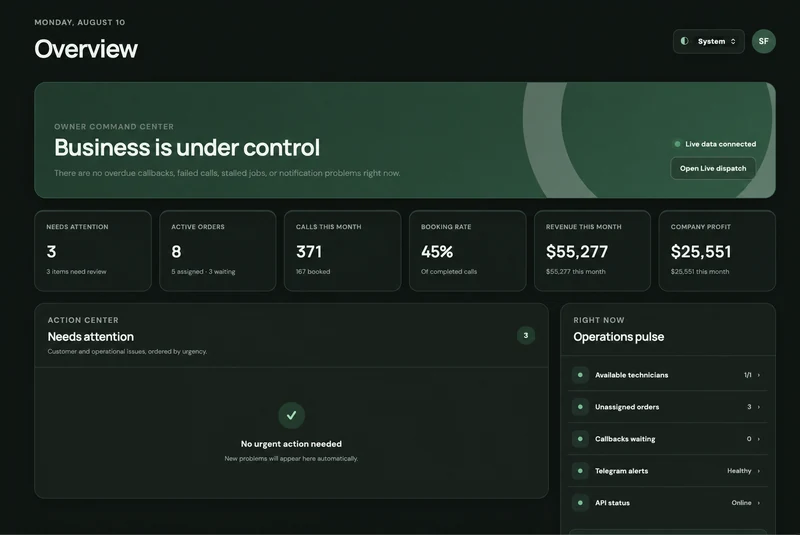 Alex answers. You stay in control.
GET YOUR STUFF TOGETHER
Before you touch the settings
Your plan and company workspace must already be active. Then grab your current business number, carrier name, desired local area code, real service-city list, and each technician’s phone and schedule. Thirty honest minutes now saves three days of ‘why did that job go to Mike?’ later.
- ✓ An active AlloBoss plan and company workspace
- ✓ Your current carrier and business phone number
- ✓ A 3-digit local area code you want customers to see
- ✓ Real cities you serve—not the whole state because optimism
- ✓ Each technician’s services, cities, schedule, and Telegram
FIRST SETUP STEP
Buy a local AlloBoss number
Settings → Subscription → Dedicated phone lineThis is the dedicated line Alex answers. Your old business number stays yours; you will forward calls from it in the next step.
- Enter a three-digit area code or city. Narrow by state if needed, then search.
- Choose a number from the available results and review the separate $5/month line charge in Stripe.
- Wait for an active status, copy the number, and call it directly to test.
- For another line, open Company phone lines → Add a phone line, enter a Source name such as Google Ads or Yelp, select a number, and pay. Your plan limits the number of lines.
- Use Edit label beside a number to rename it. All company lines use one AI dispatcher and a shared pool of minutes.
Search → Choose number → Pay
YOUR OLD NUMBER → ALEX
Send calls to AlloBoss
Your phone dialer or carrier settingsChoose one mode: every call goes to Alex, or Alex only catches missed calls. For the first day, missed-calls-only is the calmer test drive. After 3–5 clean calls, switch to every call if that is your plan.
- Replace XXXXXXXXXX with the 10 digits of your new AlloBoss number.
- Activate one forwarding mode only, press Call, and wait for the carrier’s confirmation. Full forwarding overrides conditional rules.
- Call your old business number from a different phone.
- Confirm Alex answers, the caller number appears in Call history, and old voicemail does not steal the call.
- For separate sources, use separate pairs: Google Ads public number → AlloBoss line labelled Google Ads; Yelp number → Yelp line. Test every pair. If every source forwards to one AlloBoss number, the line cannot distinguish those sources.
5615550123☎
| Carrier | Every call | Conditional | Turn off |
|---|---|---|---|
| AT&T | *21*XXXXXXXXXX# | Use Phone settings: unanswered / busy / unreachable | #21# |
| Verizon | *72XXXXXXXXXX | *71XXXXXXXXXX | *73 |
| T-Mobile | **21*1XXXXXXXXXX# | No answer **61*1XXXXXXXXXX# · Busy **67*1XXXXXXXXXX# · Unreachable **62*1XXXXXXXXXX# | ##004# conditional · ##21# all |
COMPANY BASICS
Tell Alex what kind of shop you run
Settings → AI Dispatcher and Settings → GeneralAI is not a mind reader. Give it the boring facts once, and it stops improvising with your business.
- In AI Dispatcher: verify Company name and communication style, and rewrite the greeting so it sounds like your company.
- Under Choose your dispatcher voice, compare the three avatars: Regular Alex — a clear, confident, professional female voice; Classic Alex — a calm, patient, clear male voice; Premium Alex — a bright, warm, expressive female voice.
- Press Play to hear each preview, then use Select voice for your preferred Alex. Speech speed is already configured by AlloBoss; there is no speed control to adjust. Make a test call after choosing to check the voice and your company greeting together.
- Choose Mobile service only or Storefront and mobile service. If customers may visit, add the real storefront address.
- In General: set timezone, callback expectation, languages, business hours, service cities, and company ZIP codes.
- Remember: Alex still answers inbound calls after hours. Business hours tell the system when the office and team normally work.
WHAT YOU ACTUALLY DO
Check all 13 services. Disable the fiction.
Settings → ServicesNew accounts start with 13 locksmith services enabled. Keep the ones you really sell, turn off the rest, and add anything custom.
- Review every built-in service: Home lockout, Car lockout, Rekey locks, Broken key extraction, Commercial lockout, Safe lockout, Ignition repair, Car key replacement, Car key replacement for European cars, Lock installation, Mailbox lockout or replacement, Storage lockout, and Other locksmith service.
- For each active service, set default duration and give Alex clear intake notes.
- If you want Alex to quote a range, enable Quote prices to callers and enter a real minimum, maximum, and a short explanation.
- Use + Add service for work that is not on the default list.
RIGHT JOB → RIGHT TECH
Configure each technician like you mean it
Settings → Technicians → + Add technicianA name and phone number are not enough. The dispatcher needs to know what each person does, where they go, and when they work.
- Add full name, US phone number, initial availability, and profit share—the technician’s percentage of gross profit after parts. Zero is allowed.
- Select only the services this technician can perform.
- Enter every municipality this technician really covers, using exact city names. For reliable routing, keep the list to no more than 80 cities per technician.
- Set the weekly schedule. Automatic offers use it and avoid exact schedule conflicts.
- Start new technicians as Unavailable until their Telegram connection and test job are complete.
NO GROUP-CHAT CIRCUS
Connect the owner and every technician
Owner: Settings → General · Tech: Settings → TechniciansTelegram is the job-control remote. Each person connects from their own private chat with the bot.
- Owner: open Telegram connection, click Connect Telegram, then open the one-time link in your personal Telegram.
- Technician: open their saved profile, click Connect Telegram, and send that link to that technician only.
- The link expires in 15 minutes and works once. If it dies, generate a fresh one—no séance required.
- Back in General, use Send test alert to verify linked owner accounts. Then create one real test order to confirm the technician receives and can accept an offer.
- Owner Telegram job cards show the lead source. Technician cards do not. An owner who also works as a technician retains owner access.
THE COMPLETE JOB LIFECYCLE
Accept. Move. Arrive. Finish. Count the money.
Telegram bot → New / CurrentThe bot stays useful only if technicians update it. A job that lives forever at “Accepted” is not data; it is modern art.
- Accept job. Before driving, call the customer and confirm the preliminary price—this is your team procedure, not an automatic system check.
- Tap On the way, then Arrived, then Work completed.
- Enter Amount paid, for example 250, then enter Parts. Use 0 when there were no parts.
- Tap Done only after the money and parts are recorded. Use Release if the technician cannot complete the job.
THE OWNER’S 10-MINUTE ROUTINE
Look at the exceptions, not every breath
Overview · Call history · Follow-ups · Customers · StatisticsYou do not need to stare at AlloBoss all day. Check the places where money or customers can fall through the floor.
- Overview: clear Needs attention and scan active work.
- Call History: the owner sees the recorded source and can use Lead source alongside date, outcome, and search. This filters loaded calls; Load older calls adds earlier records. Review recordings and transcripts when available.
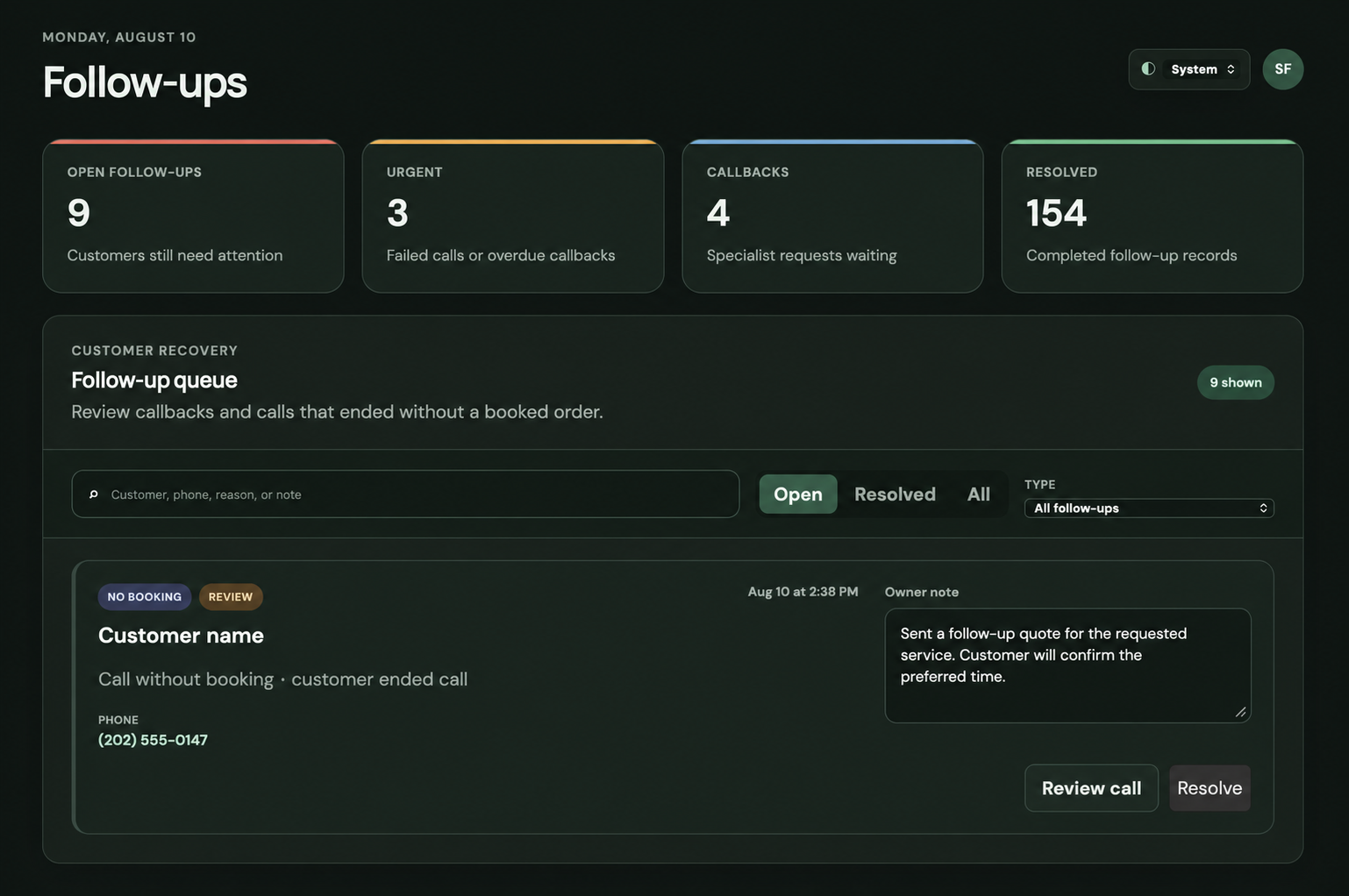
- Follow-ups: assign an owner, set a due date, write the current owner note, create an order when the customer is ready, or Resolve it.
- Customers: open the customer profile, use Add note / Save note for durable comments, and review the Notes, Calls, and Orders timeline.
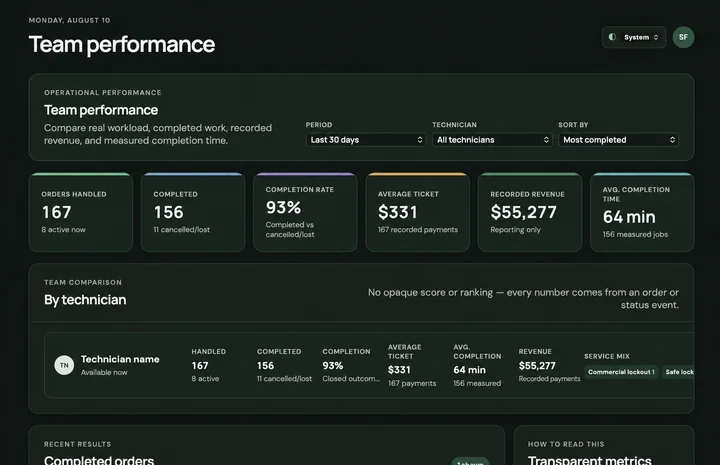
- Statistics: use General for calls and funnel, Team performance for technician results, and Finance for recorded revenue, parts, payouts, and profit.
- Before launch, make real test calls: supported service, out-of-area call, price question, after-hours schedule, and Spanish if enabled.
 FOLLOW-UPS
 TEAM PERFORMANCE
SUBSCRIPTION AND LINES
Choose a package for your call volume
Settings → SubscriptionOne dispatcher and shared minutes across all company lines.
- Essential: $150/month · 200 AI minutes · $1.00 per extra minute · 1 line.
- Growth: $250/month · 500 AI minutes · $0.60 per extra minute · up to 2 lines.
- Scale: $450/month · 1,000 AI minutes · $0.55 per extra minute · up to 5 lines.
- Business: $850/month · 2,000 AI minutes · $0.50 per extra minute · up to 10 lines.
- Each line costs $5/month separately. Applicable tax is shown before payment.
KEEP YOUR RENEWAL DATE
Review the upgrade before paying
Settings → Subscription → Upgrade planYour current subscription and lines stay in place while payment and activation are confirmed.
- Choose from available plans above your current plan. Authorize automatic prepaid top-ups if prompted.
- Review the estimated charge plus applicable tax and additional minutes until your current renewal date. The additional allowance is prorated for the time remaining.
- Review the exact amount and new extra-minute rate, confirm the upgrade, and complete payment in Stripe.
- Wait for Upgrade confirmed. Your renewal date stays the same. The next paid cycle gets the full new allowance; additional phone numbers are purchased separately.
PREPAID CREDIT
How extra minutes work
Settings → SubscriptionIncluded minutes are used first. Further usage draws from authorized prepaid credit at your plan’s rate.
- Check used and remaining minutes and the reset date in Subscription.
- Authorize automatic $15 prepaid top-ups for extra usage. Each additional minute draws credit at your subscription’s rate.
- Unused prepaid credit carries forward to the next period.
- If a prepaid top-up payment fails, new AI calls pause even if some prepaid credit remains. Update your payment method in Manage plan, then use Retry payment.
FINAL PRE-FLIGHT CHECK
Do not go live until these seven boxes are boringly green
That’s it. You are not installing NASA. You are teaching one very patient dispatcher how your shop works.
Open AlloBoss- 01Business number forwards to AlloBoss and can be turned off
- 02Company cities and ZIPs match the territory you actually serve
- 03Unused services are disabled; quoted price ranges are honest
- 04Every technician has correct services, cities, schedule, and availability
- 05Owner and technicians receive Telegram test alerts in private chat
- 06Your preferred Alex is selected, and a test call confirms the greeting sounds like your company
- 07A real test call creates the right result and appears in the dashboard